
PlexusX — saturation to 300%, in every game
PlexusX for Windows 10 and 11 · v2.1.3
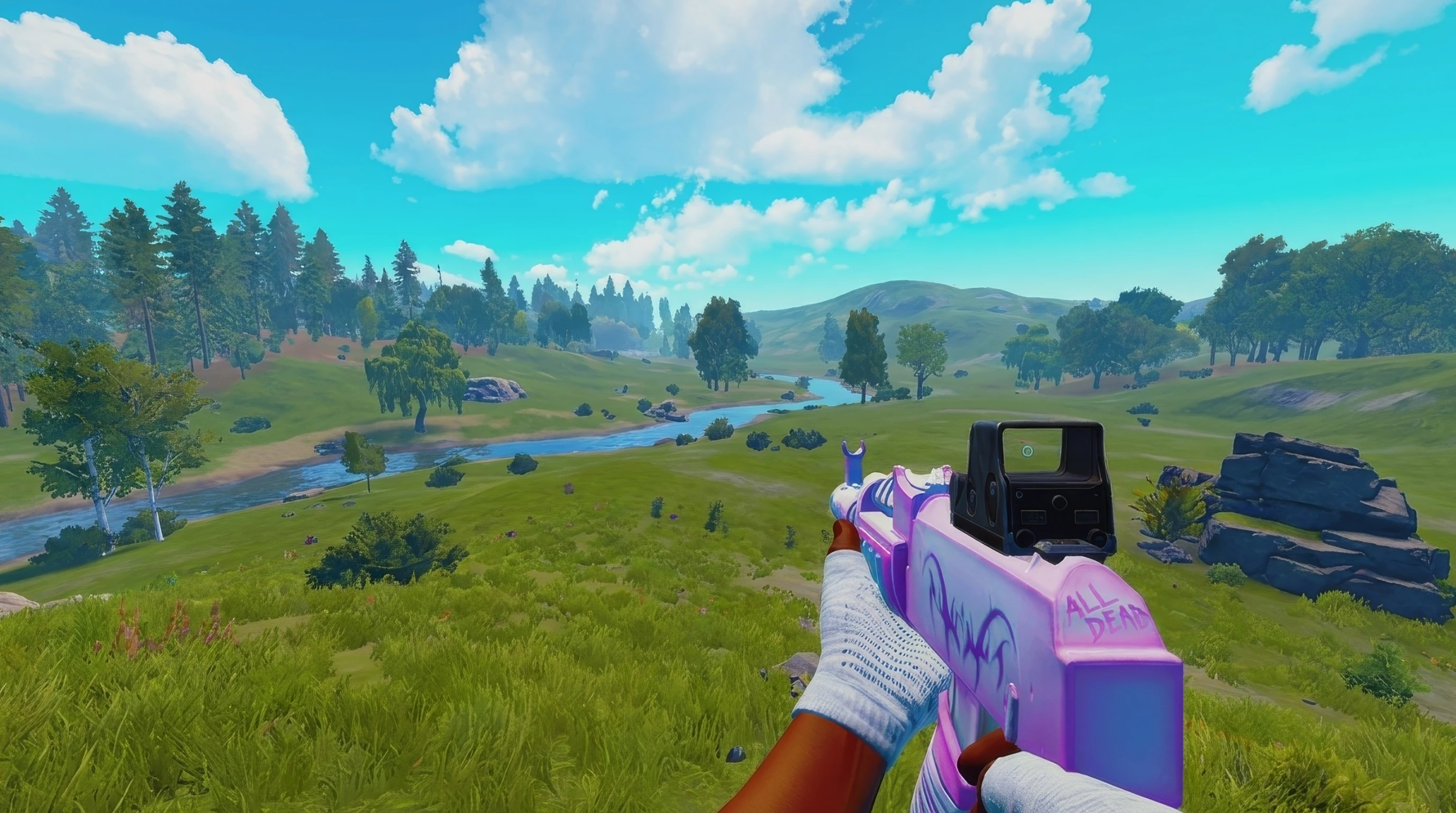
This is rendered in your browser, not a screen capture of PlexusX running.
Before / after: Drag it and see
The same frame: 100% as recorded on the right, a browser preview on the left, on the app's own 100 to 300% scale. Drag the handle yourself.
Used it? Write a review
No reviews up yet — every one is written by a real account and read by a human before it appears. Be the first.
Sign in to write one — reviews come from real accounts only.
Everything, in plain words
Colour, all the way up
Saturation to 300%, vibrance, brightness, contrast, gamma, temperature — whole screen, every game.
Scene presets
Tuned per lighting condition: treelines, interiors, snow glare, smoke. One tap.
Preset hotkeys
Bind any preset to a key and switch looks mid-game without alt-tabbing.
Custom crosshair
Always-on overlay: shape, size, gap, colour, outline. Never enters the game's process.
Colour-blind modes
Daltonisation for green-, red- and blue-weak vision — separates what the game blends.
Save your own
Land on a look you like and keep it beside the built-ins.
Per-monitor colour
Gamma and warmth set separately for every connected display, from the Monitor tab.
Colour watchdog
Windows drops your colour on game launches and display switches — PlexusX notices and puts it straight back.
Two colour modes
Default or Slate, with your own picture or GIF behind the app.
Nothing hooked
No injection, nothing loaded into any game.
Check us, don't believe us
It changes your screen, not your game
No injection, no memory reads, no files written into any game. PlexusX changes the colour your monitor shows, after the frame is drawn. The installer scored 2/67 (2.1.2, scanned 1 Oct 2026) on VirusTotal — 2 engines guessing at a new unsigned file. That report is for 2.1.2. The current build's SHA-256 is on the home page, so you can scan it yourself.
Fully reversible
Colour is applied live and dropped the moment you turn it off. Close PlexusX and your display is exactly as it was.
Windows will warn you
The installer is not code-signed yet, so the first time you run it Windows shows a blue “Windows protected your PC” screen and calls the publisher unknown. That is about reputation, not about anything found in the file — Windows shows it for every publisher it has not seen before. Click More info, then Run anyway.
The four questions everyone asks
It is not a cheat. PlexusX changes the colour your monitor shows, after the frame has already been drawn. It reads no game memory, writes no game files and injects no code into any game process — and the installer's SHA-256 is published beside the download, so you can check the exact file you got on VirusTotal yourself. What nobody can honestly promise you is what an anti-cheat will decide: that call belongs to Valve and Facepunch, not to us. So we tell you exactly what runs, and you check it against the rules you play under.
Yes — everything works on NVIDIA, AMD and Intel. On an NVIDIA card the vibrance slider drives the driver's own digital vibrance; on AMD and Intel the same slider is carried by PlexusX's colour matrix instead, across its whole range. The mechanism differs, the result does not.
Often yes, and there's a switch for the times it doesn't. It depends on how Windows hands your game to the screen: when it composes the desktop — which it does in windowed and borderless modes, on multi-monitor setups and with HDR on — capture sees your colours. When it doesn't, turn off Low latency in Settings and PlexusX forces composition, at the cost of about one frame of input delay. The app tells you the trade rather than deciding for you. For a still, the screenshot hotkey always works: it bakes your colours into the image, which an ordinary screenshot can never do.
Yes. The monthly plan (€4.99/month) is billed through Stripe, and stopping it is one button: Dashboard → Billing → “Cancel subscription”. No email to write, nobody to talk to, nothing in the way. You keep access until the period you have already paid for runs out, and until then a “Keep my subscription” button puts it back if you change your mind. Lifetime (€15.99 once) has nothing to cancel: you pay once and every future update is included.