Saturation to 300%
Free100 is your normal picture. Go up to 300 for three times the saturation, across your whole screen.
PlexusX is a Windows colour app for games. It changes what your screen shows. It never touches the game.
Free · no card · Windows 10 & 11

 Installs without the “Windows protected your PC” screen

A working copy of the app, in your browser. Nothing on your PC changes.
No. We post its SHA-256.
Check the fileIt changes what your screen shows. Dark Boost can get you banned. Some games, like Rust, ban players who see in the dark. Each game makes its own rules, so check yours.
How it worksYes. You stop Monthly with one button. Lifetime has nothing to cancel.
RefundsSaturation to 300% and the Resolution tab are free with an account, no card. A plan adds the rest: €15.99 once, or €4.99 a month.
See pricingDrag the line. Then move the slider.
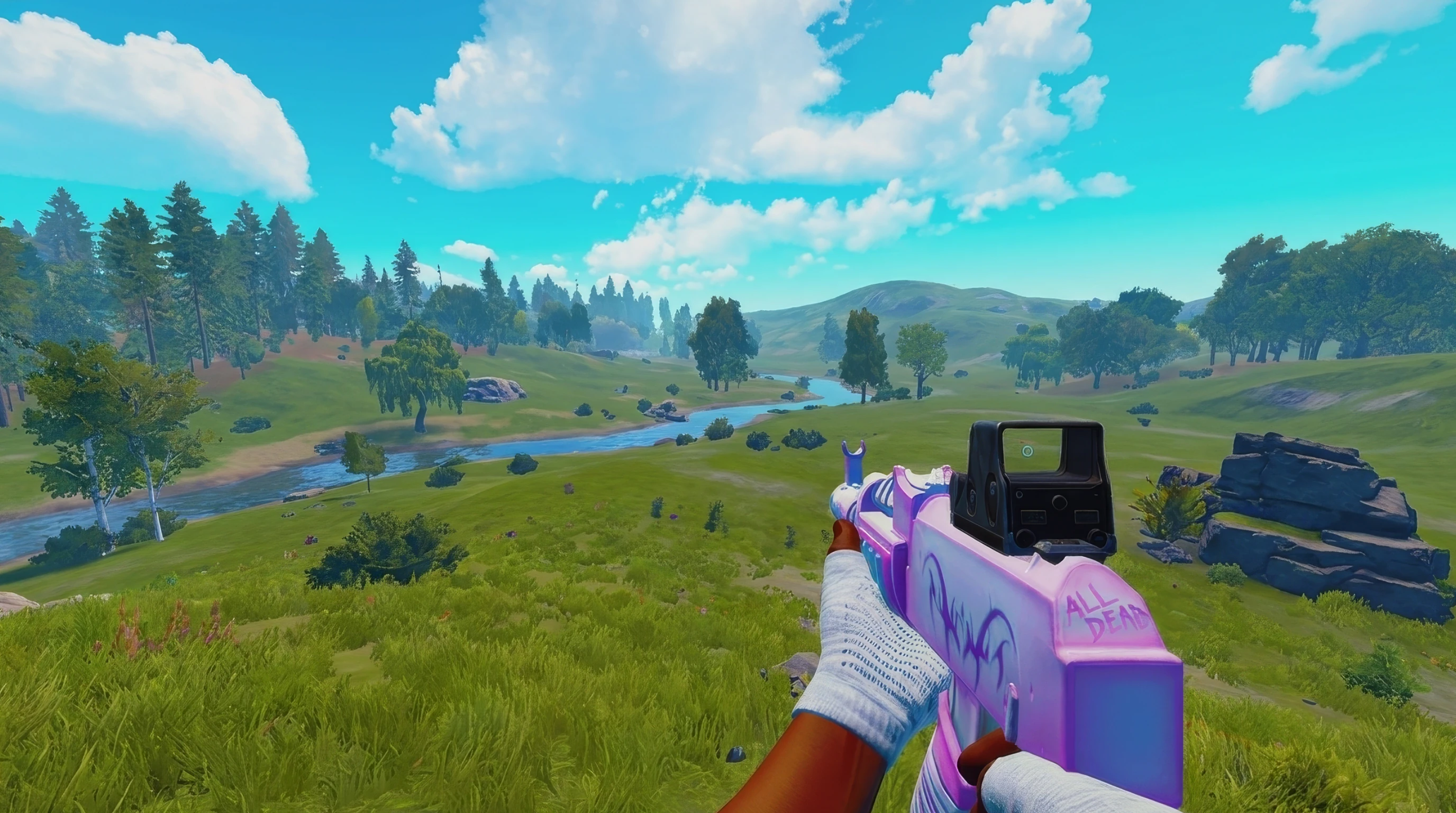
Your browser draws this preview. PlexusX sets saturation for your whole screen.
Free · no card · Windows 10 & 11
Scene presets (with a plan):
Saturation to 300% and the whole Resolution tab are free with an account. The other four come with a plan.
100 is your normal picture. Go up to 300 for three times the saturation, across your whole screen.
Change your resolution and refresh rate. Turn HDR on or off. Use the stretched 4:3 presets. All in one tab.
On NVIDIA, it sets NVIDIA’s own Digital Vibrance. On AMD and Intel, PlexusX gives you a vibrance slider of its own.
Save your colours for each game. PlexusX swaps them in for you. We also made presets for trees, dark rooms, night and snow.
A crosshair drawn on top of your screen, not inside the game. It stays off until you turn it on. It never reads or writes a game’s memory.
Change your colours from your phone without leaving the game. It works over your home Wi-Fi, only while the Phone window is open.
In the app, a padlock marks each plan feature. Press one to see what it adds and what it costs. See what a plan costs
The free app takes colour past NVIDIA's maximum. Free account, no card.
Yes~ Partly, or the maker does not sayNoChecked 21 Oct 2026
| Feature |  PlexusX | vibranceGUI | TacticalVision | NVIDIA panel |
|---|---|---|---|---|
| Colour past NVIDIA's maximum | 300%Yes Free in the free app | ~Partly, or the maker does not say | ~Partly, or the maker does not say | No |
| Never touches the game | Yes | Yes | Yes | Yes |
| Any graphics card | Yes Free in the free app | ~Partly, or the maker does not say | Yes | No |
| Uses Windows' own colour layer | Yes | No | Yes | No |
| Share looks | Yes + LibraryPlan needs a plan | ~Partly, or the maker does not say | Yes | ~Partly, or the maker does not say |
| Switches when a game starts | Yes 6 gamesPlan needs a plan | Yes Any game | No | ~Partly, or the maker does not say |
| Changes resolution too | Yes Free in the free app | Yes | ~Partly, or the maker does not say | Yes |
NVIDIA's slider stops at its maximum. PlexusX adds Windows' colour layer on top, so ours goes to 300% (100% = no change). In true fullscreen that layer doesn't show; use borderless window.
Start on Free. Needs a free account. No card.
We read each maker's own site, store page or code: vibranceGUI, TacticalVision, NVIDIA panel. Names and logos belong to their owners. See a mistake? Tell us on Discord and we'll correct it.
Posted in our Discord. Copied word for word. Names cut to one letter. We did not check if they own PlexusX.
++rep I love having my game with very vibrant color, I bought the premium to customise how each color looks without being limited by Nvidia, and PlexusX does exactly everything I need❤️
a
+ rep works like a dream on tarkov
b
+rep using for rainbow and it looks hella clean
w
10 vouches from our Discord. See every one →

I always wanted my game to look colourful. Rust was so dark and meh. So I got VibranceGUI. I tried it and nothing happened.
I thought, if it does not work for me, it may not work for lots of others. So I made my own colour app. It is about what you like, and you can change it.
I wanted a real app that people use. Not a RAT. Not something you put in your game.
€0forever
No time limit.
Needs a free account. No card.
3 DAYS FREE
€4.99a month
Renews each month. Cancel any time.
€0 today. You need a card. €4.99 after 3 days, then each month. Cancel in Dashboard → Billing before then and you pay €0. One trial per account.
Less than 4 months of Monthly
€15.99once
Pay once. It never renews. You get every new update.
€15.99 today. Then nothing, unless you add Dark Boost & Zoom.
Prices are in euro, VAT included. Sold by PlexusX, a Czech sole trader (details). Pay by card, Apple Pay or Google Pay through Stripe. Is it a virus? Check the installer yourself · Refunds · Terms
Matej’s own Rust clip.
Optional add-on
Dark Boost can get you banned
Some games, like Rust, ban players who see in the dark. PlexusX never touches the game, but the ban risk is yours.
Monthly: +€3.00 a month. Lifetime: +€4.50 a month.
With Monthly, both become one €7.99/month subscription. With Lifetime, PlexusX stays paid once and the add-on runs monthly until you cancel in Dashboard → Billing.
What people ask before they install. Straight answers.
No, it is not a virus. You can check. We post the file’s SHA-256 next to the download. It is like a fingerprint for the file. Look that file up on VirusTotal. Then read the report. Windows may say “unknown publisher”. That is because we did not sign the file. Some antivirus apps may flag it too. They guess from how the file looks. Check the file
The colour tools are not a cheat. PlexusX changes the colour your monitor shows, after the game has drawn the picture. It does not read game memory, change game files or put code into any game. One exception we know of: Dark Boost can get you banned. Some games, like Rust, ban players who see in the dark. What an anti-cheat allows is up to the game’s makers, so check the rules you play by. See “What is Dark Boost & Zoom?” below. How PlexusX works
Yes, on NVIDIA, AMD and Intel. On NVIDIA, the vibrance slider moves NVIDIA’s own vibrance. On AMD and Intel, PlexusX does the job itself. The slider still goes all the way.
Discord can show the game before the colour change reaches your screen. In OBS, add Display Capture and choose DXGI Desktop Duplication. If PlexusX shows the recording switch in Settings, turn it on. Record five seconds while you move Saturation up and back. Play the clip. If the change shows up, you can send that scene to Discord with OBS Virtual Camera. See the capture steps and test results
It means the file is new. Each new version is a new file, and not many people have downloaded it yet. That message is not a virus finding. Want to check it yourself first? Look up the file's SHA-256 on VirusTotal. In Edge, press the three dots (···) and Keep. Then Show more and Keep anyway. Other browsers let you keep it from your downloads. Check it before you keep it
Saturation to 300% and the whole Resolution tab are free. You just need an account, no card. A plan adds digital vibrance, fine tune, the looks, per-game switching, the crosshair, phone control and the Library. A plan is €15.99 once, or €4.99 a month. The Monthly trial is 3 days free. Card needed, €0 today.
Not sure? Start with the Monthly trial. Keep PlexusX more than 3 months? Then Lifetime costs less. It is €15.99 once. You can switch to Lifetime in your Dashboard any time.
Hold a key and you see in the dark. Let go and your screen looks normal. Hold a key to zoom in, 1.5x to 4x. Zoom uses Windows’ own Magnifier and is off until you turn it on. It costs €3.00 a month on Monthly, or €4.50 a month on Lifetime. Dark Boost can get you banned. Some games, like Rust, ban players who see in the dark. PlexusX never touches the game, but the ban risk is yours.
Yes. Monthly stops with one button, in Dashboard → Billing. No email to write, nobody to talk to. Cancel in the trial and you pay nothing. You keep your plan until the time you paid for runs out. Lifetime has nothing to cancel: you pay once.
Won't run on your PC? Email support@plexusx.lol and you get your money back. Lifetime: EU and UK buyers have 14 days to change their mind, until the licence is activated. Monthly: your plan starts the moment you subscribe, and that ends the 14-day right to change your mind. If you cancel, you are not charged again, and you keep access until the time you paid for runs out. The full terms are on the Refunds page. Refunds
On the Presets page. Every look and crosshair there has a code. Press Use in app to open one in PlexusX, or copy its code. Using a code needs a plan. See the presets
All you paid for. Lifetime stays yours for good. You get every new update. A monthly plan keeps all its paid parts while it runs. We made the free version for new people. It takes nothing from you.
More answers:How PlexusX worksGet digital vibrance on AMD and IntelHDR looks washed out on WindowsHow to show PlexusX colours on Discord and in OBS
Still looked after? Last update: .
Dark Boost and Zoom now pause when you leave your game, plus a few fixes.
With an account, no card. A plan adds the rest: €15.99 once, or €4.99 a month.
Windows 10 & 11
Installs without the “Windows protected your PC” screen